
Download Crystal Xcelsius – Interactive Spreadsheet Presentation Tool
Overview
Crystal Xcelsius is a lightweight Windows‑based application that turns ordinary spreadsheet data into dynamic, interactive presentations. Designed for the Design & Photography category under the Presentation subcategory, Xcelsius offers a trial version that lets users experiment with rich visualisations without the need for heavy‑duty graphic software. Since its addition to the catalog in 2011, the program has amassed more than 26,500 downloads, with a steady flow of new installations each week. The current release, version 4.5, was last updated on June 21 2011 and runs on Windows 2000 and later, supporting both English and Spanish language packs. Its popularity in markets such as China, Italy, and Spain demonstrates a growing demand for tools that can blend data analysis with compelling visual storytelling. Whether you are a business analyst preparing quarterly results, an educator illustrating statistical concepts, or a marketer crafting a data‑driven pitch, Crystal Xcelsius offers a secure, easy‑to‑learn environment for creating polished, interactive decks directly from your Excel worksheets.
Key Features and Functionalities
- Live Data Binding: Connect directly to Excel files; any change in the source spreadsheet instantly updates the visualisation.
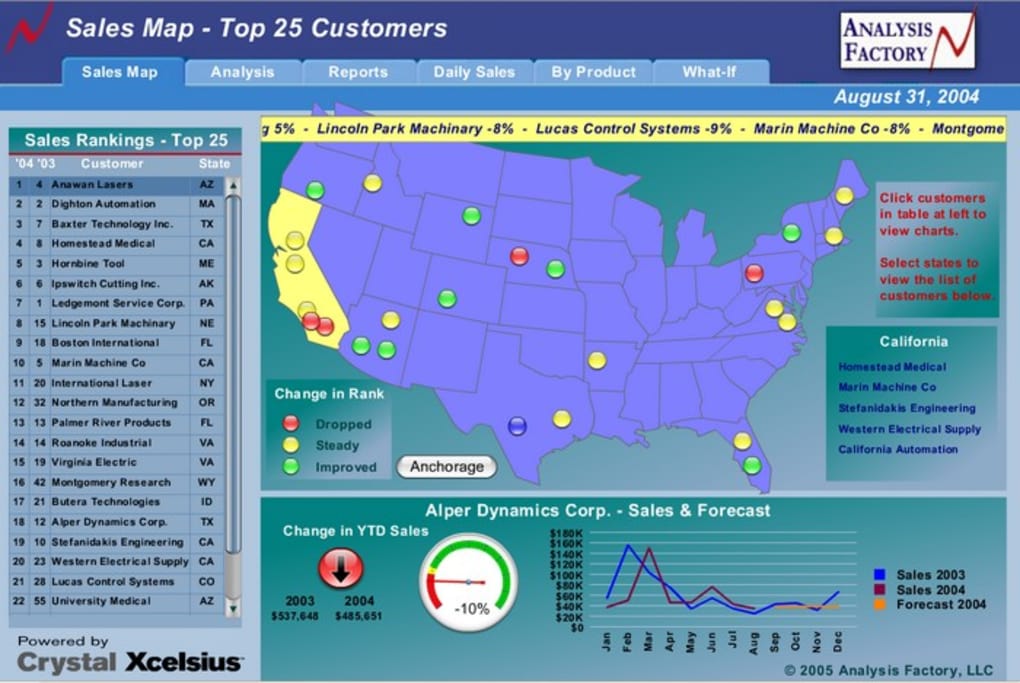
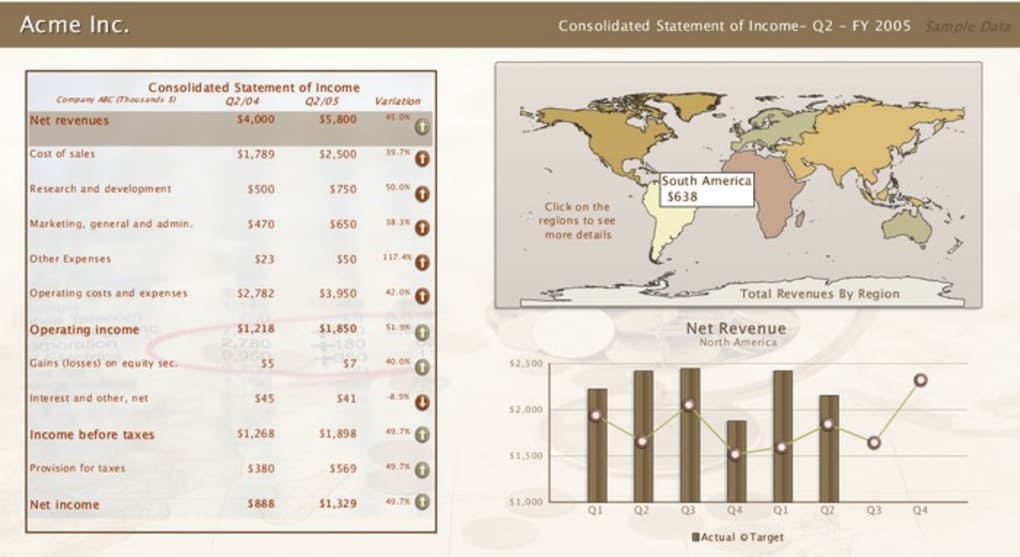
- Drag‑and‑Drop Dashboard Builder: Build dashboards with charts, gauges, maps and tables without writing code.
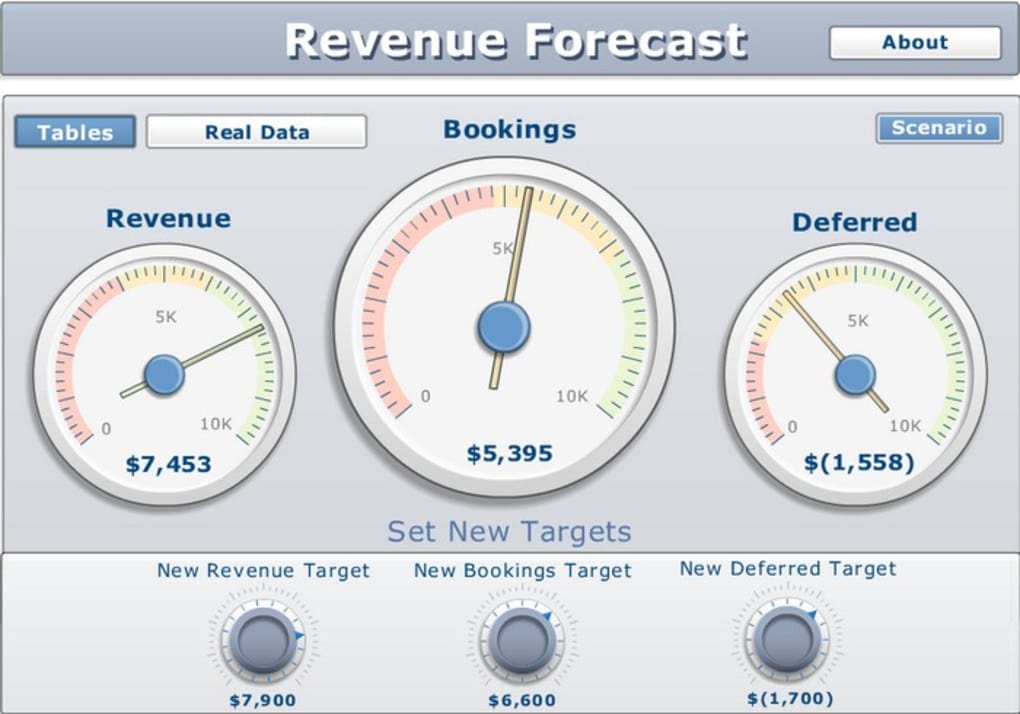
- Interactive Controls: Add sliders, dropdowns, and buttons that let viewers explore different scenarios in real time.
- Export to PowerPoint & HTML: Publish finished presentations as PowerPoint slides or embed them into web pages.
- Theme Library: Choose from pre‑designed colour schemes and layout templates to keep branding consistent.
- Multi‑Language Support: Interface available in English and Spanish, with localisation options for future releases.
- Lightweight Installation: Requires less than 150 MB of disk space, making it ideal for older machines or limited‑capacity laptops.
- Secure Trial Mode: The trial version limits export options but retains full editing capabilities, allowing users to evaluate the tool without hidden costs.
Beyond the list above, Crystal Xcelsius integrates a set of smart defaults that reduce the learning curve. For example, the automatic chart recogniser suggests the most appropriate visual type based on the data pattern, while the built‑in tutorial walks new users through a step‑by‑step creation of a sales dashboard. The application also supports Windows 2000, XP, Vista, 7 and 8, ensuring compatibility with a wide range of corporate environments. Because it is built on a native Windows framework, performance remains snappy even when handling spreadsheets with thousands of rows. Users who need more advanced customisation can extend the tool with VBA scripts, allowing for calculated fields and conditional formatting that go beyond the out‑of‑the‑box options.
Installation, Usage & Compatibility
Step‑by‑Step Installation Guide
- Visit the official download page and click the Download Crystal Xcelsius Trial button.
- Save the
CrystalXcelsius_4.5_Trial.exefile to a folder of your choice. - Run the installer as an administrator (right‑click → “Run as administrator”).
- Accept the End‑User License Agreement and choose the default installation path (recommended:
C:\Program Files\Crystal Xcelsius). - When prompted, select the language pack (English or Spanish) and click “Next”.
- The installer will verify that Microsoft .NET Framework 3.5 is present; if not, it will download and install it automatically.
- Click “Install” and wait for the progress bar to finish (typically under two minutes on a modern PC).
- Launch the application from the Start menu or desktop shortcut. The trial licence key is pre‑loaded, so you can start creating immediately.
First‑Time Usage Tips
When Crystal Xcelsius opens, you’ll see a welcome screen with three options: “Create New Dashboard”, “Open Existing Project”, and “Import Spreadsheet”. Choose “Import Spreadsheet” to locate your Excel file. After selecting the sheet, Xcelsius analyses the data and presents a sidebar with suggested visual components. Drag a component onto the canvas, then map the data fields using the property pane on the right. To add interactivity, click the “Controls” tab and drop a slider or dropdown onto the canvas, then bind it to a data range. Finally, preview the dashboard by clicking the “Play” button – this simulates the live experience your audience will have.
System Requirements (itemprop="operatingSystem")
- Operating System: Windows 2000, XP, Vista, 7, 8 (32‑bit or 64‑bit)
- Processor: 1 GHz or faster
- Memory: Minimum 512 MB RAM (1 GB recommended)
- Disk Space: 150 MB free for installation, plus additional space for projects
- Microsoft .NET Framework 3.5 (included in installer)
Because the program is built on native Windows APIs, it does not require a graphics card beyond the standard integrated chipset. Users on older hardware should still experience fluid interactions, though complex dashboards with many live controls may benefit from additional RAM. The trial version disables batch export, but the core editing and preview features remain fully functional, making it a safe, low‑risk way to test compatibility before committing to a full licence.
Pros, Cons & Frequently Asked Questions
Pros
- Lightweight installation – less than 150 MB.
- Live data binding keeps presentations up‑to‑date automatically.
- Intuitive drag‑and‑drop interface reduces the need for coding.
- Export options to PowerPoint and HTML for versatile sharing.
- Supports Windows 2000 and newer, covering legacy business environments.
- Free trial with full editing capabilities, no hidden fees.
Cons
- Trial version limits bulk export and some premium themes.
- No native macOS, Linux, Android, or iOS versions – Windows‑only.
- Last major update was in 2011; newer UI trends may feel dated.
- Advanced customisation requires VBA knowledge.
- Limited online community compared to larger tools like Tableau.
FAQ (itemscope itemtype="https://schema.org/FAQPage")
Is Crystal Xcelsius completely free?
Crystal Xcelsius offers a free trial that provides full editing capabilities. Exporting projects to PowerPoint or HTML is limited in the trial; a paid licence removes these restrictions.
Can I use Xcelsius on a Mac?
No. The application is built exclusively for Windows. Mac users can run it via virtualization tools such as Parallels Desktop or Boot Camp.
How does live data binding work?
When you link a dashboard component to a spreadsheet column, Xcelsius monitors the source file. Any change saved in Excel automatically refreshes the visual element in real time, eliminating the need to re‑import data.
What file formats can I export to?
The full licence allows export to Microsoft PowerPoint (.pptx) and web‑ready HTML files. The trial can preview but not save these exports.
Is there any support for older Windows versions?
Yes. Crystal Xcelsius runs on Windows 2000, XP, Vista, 7 and 8. Compatibility with Windows 10 is not officially listed, though many users report it works with minor compatibility settings.
Conclusion and Call to Action
Crystal Xcelsius fills a niche that many larger business‑intelligence platforms overlook: a simple, lightweight Windows tool that transforms raw spreadsheet numbers into polished, interactive presentations without a steep learning curve. Its live data binding, drag‑and‑drop dashboard builder, and export flexibility make it an attractive option for professionals who need to showcase data quickly and securely. While the lack of macOS support and an aging UI may deter some, the free trial provides ample opportunity to evaluate whether its strengths outweigh the limitations for your specific workflow. If you’re looking for a cost‑effective way to make data‑driven slides that update automatically, give Crystal Xcelsius a try today.
Ready to boost your presentations? USD 0.00 – Download the trial now and start turning spreadsheets into engaging visual stories.
Crystal Xcelsius delivers a solid set of features for anyone needing interactive data visualisation on Windows. The free trial is generous, the installation footprint is minimal, and the live‑binding capability saves countless hours. Minor drawbacks include its Windows‑only nature and an interface that feels a decade old, but overall it earns a solid four‑star rating.







